What Should You Consider When Choosing Wireless Products? A Guide for UBNT and MikroTik Solutions
When choosing wireless networking products, it is important to consider coverage area, number of users, frequency band, connection distance, indoor or outdoor usage, and management requirements. In this guide, we explain what to look for when selecting the right UBNT and MikroTik wireless products for your project.
 wifiAnten Ekibi
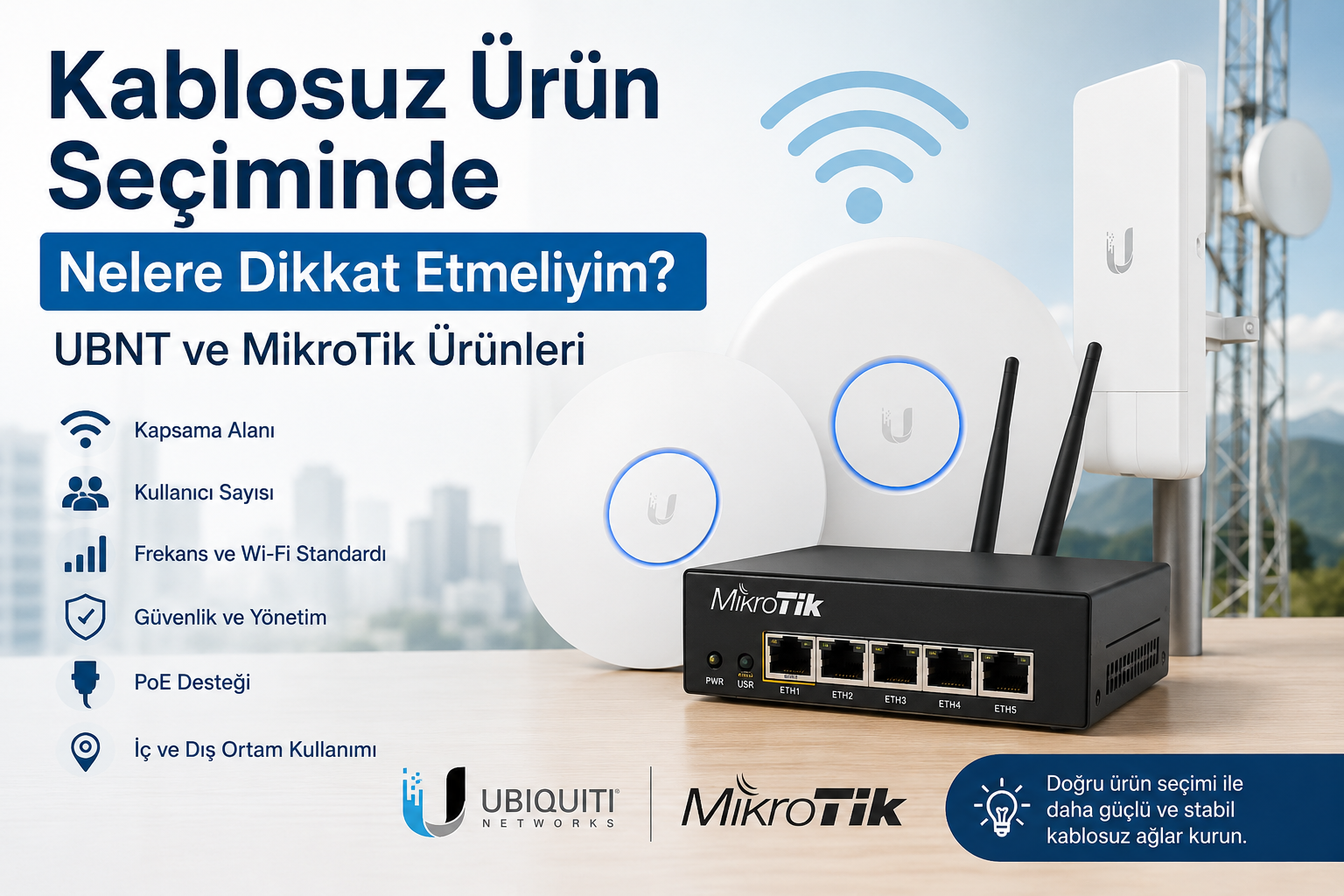
What Should You Consider When Choosing Wireless Products?
Wireless network systems are used in many different environments, from homes and offices to hotels, factories, campuses, and outdoor connection projects. However, choosing the right wireless product is not only about selecting a device with a strong signal. The structure of the area, number of users, internet speed, connection distance, device density, and management requirements all play an important role in product selection.
Professional networking brands such as UBNT / Ubiquiti and MikroTik offer many different access points, routers, switches, antennas, and wireless connection products for various needs. Therefore, before choosing a product, it is important to clearly define the requirements of your project.
1. Define the Usage Area
The first thing to consider when choosing a wireless product is where the device will be used. Indoor and outdoor products have different technical requirements.
Indoor usage areas:
Home Office Hotel room Café Restaurant Store Meeting room
Outdoor usage areas:
Garden Factory area Warehouse Campus Residential site Camera connection points Point-to-point wireless links
An indoor access point and an outdoor wireless antenna should not be selected based on the same criteria. For outdoor use, resistance to water, dust, temperature changes, and wind becomes much more important.
2. Calculate the Number of Users
One of the most important factors affecting wireless network performance is the number of users connected at the same time. For home use, 10-20 devices may be enough, while in a hotel, school, restaurant, or business, hundreds of devices may connect simultaneously.
As the number of users increases, products with a stronger processor, better antenna design, and more advanced traffic management should be preferred.
For example:
Basic access point models may be enough for a small office. Centrally managed access point solutions are more suitable for hotels and restaurants. Outdoor access points or wireless bridge solutions may be required for factories, campuses, and large areas.
3. Plan the Coverage Area Correctly
One of the most common mistakes in wireless networking is expecting a single powerful device to cover the entire area. Thick walls, multiple floors, metal surfaces, glass partitions, and electronic devices can negatively affect Wi-Fi signal quality.
Before choosing a product, answer these questions:
How large is the area? How many floors are there? What is the wall structure like? Will the device be used indoors or outdoors? Are there obstacles that may block the signal? Are users fixed or mobile?
In large areas, using multiple access points with proper placement usually provides better results than relying on a single device.
4. Pay Attention to Frequency Band Selection
Wireless products usually use 2.4 GHz, 5 GHz, and, in newer devices, 6 GHz frequency bands.
2.4 GHz provides wider coverage but may be more affected by interference in crowded environments.
5 GHz offers higher speed and less congestion, but its coverage area may be more limited compared to 2.4 GHz.
6 GHz supported by Wi-Fi 6E and newer devices can provide higher capacity and less congestion.
If basic internet use, wide coverage, and IoT devices are important, 2.4 GHz support is useful. For high-speed connections, video conferencing, file transfers, and heavy user traffic, 5 GHz supported devices should be preferred.
5. Check the Wi-Fi Standard
The supported Wi-Fi standard is also important when choosing a product. Today, Wi-Fi 5, Wi-Fi 6, Wi-Fi 6E, and Wi-Fi 7 devices can be selected depending on the project requirements.
Wi-Fi 5: Suitable for basic and mid-level usage. Wi-Fi 6: Offers better performance in high-density environments. Wi-Fi 6E: Provides wider channel usage with 6 GHz support. Wi-Fi 7: Suitable for next-generation projects requiring high speed and low latency.
For corporate network projects, choosing products that support newer Wi-Fi standards can help create a longer-lasting infrastructure.
6. When Should UBNT Products Be Preferred?
UBNT, also known as Ubiquiti, stands out with its user-friendly interface, centralized management system, and powerful wireless networking solutions. UniFi series products are widely preferred in offices, hotels, restaurants, schools, and corporate environments for centralized Wi-Fi management.
UBNT products can be advantageous in the following cases:
A simple and easy-to-manage Wi-Fi system is needed Multiple access points will be managed centrally Guest network, VLAN, and user control are required Modern and clean access point design is important Stable Wi-Fi is needed in hotels, cafés, restaurants, or offices Outdoor point-to-point or point-to-multipoint connections are required
UBNT products are a strong option for projects where wireless networks need to be managed easily through a visual interface.
7. When Should MikroTik Products Be Preferred?
MikroTik stands out with advanced network management, routing, firewall, hotspot, VPN, VLAN, and bandwidth control features. Thanks to RouterOS, MikroTik devices offer highly detailed configuration options.
MikroTik products can be advantageous in the following cases:
Advanced router and firewall features are required A hotspot system will be installed User-based speed limits are needed VPN, VLAN, and advanced routing will be configured ISP, hotel, factory, or corporate network projects are planned Technical management and detailed configuration are required A professional price-performance network solution is needed
MikroTik is a powerful and flexible solution for technical users and professional network administrators.
8. Wireless Distance and Antenna Selection
Wireless connectivity is not only used for indoor Wi-Fi access. It can also be used to carry internet between two buildings or connect a remote camera system to a central network. In such projects, directional antennas, sector antennas, or wireless bridge devices are usually preferred instead of standard access points.
When choosing a product, consider the following:
Connection distance Line of sight Frequency band Antenna gain Weather conditions Compatibility between devices Expected data speed
In point-to-point connections, clear line of sight between two devices is very important for performance. Buildings, trees, hills, or metal obstacles between the devices can reduce connection quality.
9. PoE Support Is Important
Many UBNT and MikroTik access points or wireless devices support PoE. PoE allows the device to receive both power and data through a single Ethernet cable.
This feature is especially useful for ceiling, wall, pole, and outdoor installations. When choosing a product, the supported PoE standard should always be checked.
10. Consider Ease of Management
In wireless network installation, not only device performance but also ease of management is important.
On the UBNT side, many devices can be managed centrally through UniFi Controller or the UniFi Network application. On the MikroTik side, detailed configuration can be done through WinBox, WebFig, and terminal access.
UBNT may be more practical for users who want easier management. MikroTik may be more suitable for users who need more technical and detailed configuration.
11. Evaluate Security Features
Security should always be considered in wireless networks. Strong encryption, guest networks, VLANs, firewall rules, user limitations, and regular software updates are important for a secure network.
Especially in businesses, the staff network and guest network should be separated. Camera, accounting, employee, and customer networks can be separated with VLANs to create a more secure structure.
12. Get Professional Support for the Right Product
Wireless product selection depends on the size and usage scenario of the project. Choosing the wrong product may cause poor signal quality, disconnections, low speed, and user dissatisfaction.
Therefore, when choosing between UBNT and MikroTik products, a proper needs analysis should be made, the coverage area should be planned, and the correct device placement should be determined.
Conclusion
When choosing wireless products, not only the brand or price but also the usage area, number of users, coverage requirements, frequency band, Wi-Fi standard, PoE support, security features, and ease of management should be evaluated together.
UBNT products stand out in projects that require centralized management, easy operation, and a strong wireless network experience. MikroTik products offer a powerful solution for projects that require advanced routing, hotspot, firewall, VPN, and technical network management.
With the right product selection, you can build a more stable, secure, and high-performance wireless network infrastructure for your home, office, hotel, factory, campus, or outdoor projects.
Visit the store to browse and purchase wifiAnten products.
Enter storeQuestions
No questions yet. Be the first to ask.
Written by
wifiAnten Ekibi
wifiAnten içerik ekibi.
Table of Contents
Related Posts

What Information Is Needed to Build a Wireless Infrastructure for an Outdoor Camera Project?
To build a reliable wireless infrastructure for outdoor camera projects, key details such as camera locations, distances, line of sight, power availability, PoE requirements, antenna type, frequency band, network topology, recording center, and environmental conditions must be analyzed correctly. In this guide, we explain the essential data needed for planning outdoor IP camera wireless connections.
Why Does the Windows "Passpoint" Label Appear on MikroTik Wi-Fi Networks and How to Fix It?
You have recently deployed a new MikroTik Access Point or updated your existing RouterOS system to v7. Everything seems to be working flawlessly, but when you try to connect to the network using a Windows 10 or Windows 11 device, you notice a mysterious **"Passpoint"** label appearing right next to or beneath your Wi-Fi name (SSID). Why is this phrase showing up when you haven't explicitly configured it anywhere? Does it pose a security risk? Most importantly, how do you get rid of it? In this post, we will dive into the root cause of this issue and walk through the exact steps to resolve it on MikroTik RouterOS.

UniFi AP Wireless Connection Problems and Troubleshooting Guide
Learn how to identify and troubleshoot common wireless connection problems in networks using UBNT UniFi Access Points. This guide covers signal quality issues, packet loss, incorrect IP configuration, DHCP problems, network loops, DTIM settings, AP placement, transmit power optimization, packet capture analysis, and hardware checks to help improve UniFi wireless network stability and performance.