How to Prevent MikroTik Brute Force and Port Scanner Attacks?
In this article, we explain with examples how preventive measures can be taken against brute force attacks using MikroTik devices.
 Umut Can Yıldız
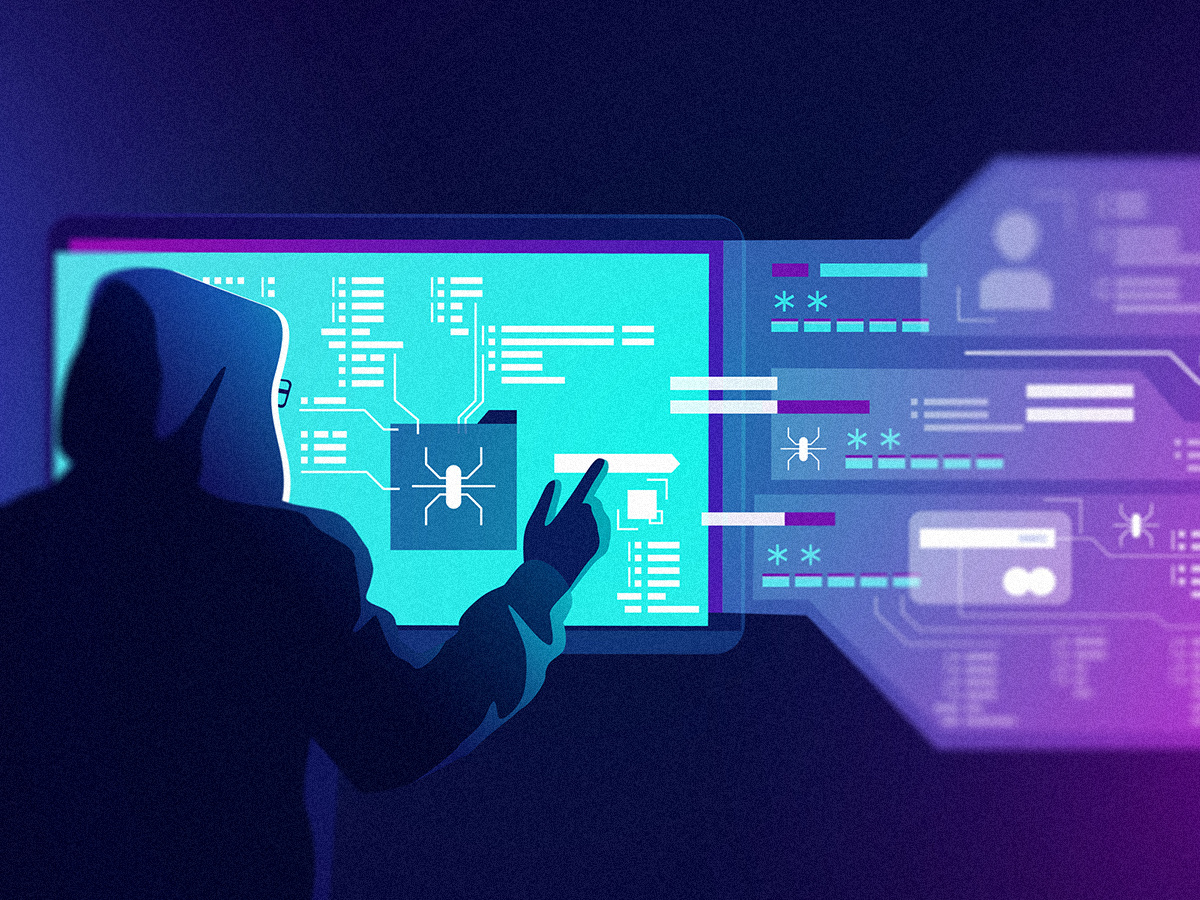
MikroTik RouterOS Brute Force and Port Scanning Prevention Guide
Brute Force attacks are an attack method based on username / password guessing, carried out to compromise the SSH, Telnet, and Winbox services running on your MikroTik router or the devices behind your port forwarding rules. While systems using simple or easily guessable password combinations can be compromised quickly, even systems protected with strong passwords may be negatively affected by the high amount of traffic generated by repeated login attempts. This can cause excessive use of your router’s system resources and negatively affect your local network and internet experience.
-
The firewall rules shared in the continuation of this article will create dynamic address lists for each related port and protocol, helping to prevent Brute Force attacks targeting SSH, Telnet, and Winbox ports, as well as port scanning attempts coming from the internet or local network.
-
In our code structure, Brute Force attacks are blocked separately for each SSH, Telnet, and Winbox rule set through four different stages: one “Jump” rule, Level-1, Level-2, and Level-3 Tracking List steps that monitor connection request frequency, and finally the Blacklist rule.
-
Thanks to this designed structure, incoming connection requests are allowed 3 failed request attempts. After 3 unsuccessful attempts, the source of the request is added to the blacklist and blocked for 30 days.
Working Logic
For example, when a new Winbox (TCP 8291) connection request is received, after these security rules are added, the control and protection process will be carried out according to the following order.
-
The new Winbox connection request is compared with the list named “(Winbox) Blacklist”. If the IP address making the connection request is not included in the blacklist, it proceeds to the next step with the help of the “Jump” rule. If the IP address were already included in the blacklist at this stage, the connection request would have been terminated by the blacklist rule.
-
The “Jump” rule sends the connection request to the “(Winbox) Blacklist Chain”, allowing the incoming connection to be checked by 3 different levels.
-
The connection is compared with the dynamically created list named “(Winbox) Level-3 Tracking List”. If the IP address of the connection is not included in the list, it proceeds to the next control step. If the IP address had been included in the list, the source IP address of the request would have been added to the “(Winbox) Blacklist” and blocked for 30 days.
-
The connection is compared with the dynamically created list named “(Winbox) Level-2 Tracking List”. If the IP address of the connection is not included in the list, it proceeds to the next control step. If the IP address had been included in the list, the IP address would have been added to the “(Winbox) Level-3 Tracking List” for 1 minute in order to track connection request frequency.
-
The connection is compared with the dynamically created list named “(Winbox) Level-1 Tracking List”. If the IP address of the connection is not included in the list, it proceeds to the next control step. If the IP address had been included in the list, the IP address would have been added to the “(Winbox) Level-2 Tracking List” for 1 minute in order to track connection request frequency.
-
The incoming connection is added to the dynamically created “(Winbox) Level-1 Tracking List” for 1 minute in order to monitor connection request frequency.
NOTE
The codes in this document may not be compatible with the internet gateway interface name or port numbers used in your system. For a trouble-free implementation, first copy the codes into a notepad and make sure that the values written in the
in-interface=anddst-port=sections in all rules are compatible with your own system.For example, instead of
in-interface=WAN, you may use your own interface name such asin-interface=modem1.
Brute Force Protection Rules for SSH Port
/ip firewall address-list
add list="(SSH) Blacklist" comment="(SSH) Blacklist"

/ip firewall filter
add action=drop chain=input in-interface=WAN comment="Blocks everyone inside the (SSH) Blacklist." log=yes log-prefix="KL_(SSH) Blacklist" src-address-list="(SSH) Blacklist"
add action=jump chain=input in-interface=WAN comment="(SSH) Blacklist Chain Jump Rule." dst-port=22 jump-target="(SSH) Blacklist Chain" protocol=tcp
add in-interface=WAN action=add-src-to-address-list address-list="(SSH) Blacklist" address-list-timeout=4w2d chain="(SSH) Blacklist Chain" comment="Moves repeated attempts from the (SSH) Level-3 Tracking List into the (SSH) Blacklist." connection-state=new log=yes log-prefix="SSH) Added to Blacklist" src-address-list="(SSH) Level-3 Tracking List"
add in-interface=WAN action=add-src-to-address-list address-list="(SSH) Level-3 Tracking List" address-list-timeout=1m chain="(SSH) Blacklist Chain" comment="Adds repeated attempts to the (SSH) Level-3 Tracking List for 1 minute." connection-state=new log=yes log-prefix="Added to Level-3(SSH) Tracking List" src-address-list="(SSH) Level-2 Tracking List"
add in-interface=WAN action=add-src-to-address-list address-list="(SSH) Level-2 Tracking List" address-list-timeout=1m chain="(SSH) Blacklist Chain" comment="Adds repeated attempts to the (SSH) Level-2 Tracking List for 1 minute." connection-state=new log=yes log-prefix="Added to Level-2(SSH) Tracking List" src-address-list="(SSH) Level-1 Tracking List"
add in-interface=WAN action=add-src-to-address-list address-list="(SSH) Level-1 Tracking List" address-list-timeout=1m chain="(SSH) Blacklist Chain" comment="Adds repeated attempts to the (SSH) Level-1 Tracking List for 1 minute." connection-state=new log=yes log-prefix="Added to Level-1(SSH) Tracking List"
add action=return chain="(SSH) Blacklist Chain" comment="Returns from the (SSH) Blacklist Chain."
Brute Force Protection Rules for Telnet Port
/ip firewall address-list
add list="(Telnet) Blacklist" comment="(Telnet) Blacklist"

/ip firewall filter
add action=drop chain=input in-interface=WAN comment="Blocks everyone inside the (Telnet) Blacklist." log=yes log-prefix="KL_(Telnet) Blacklist" src-address-list="(Telnet) Blacklist"
add action=jump chain=input in-interface=WAN comment="(Telnet) Blacklist Chain Jump Rule." dst-port=23 jump-target="(Telnet) Blacklist Chain" protocol=tcp
add in-interface=WAN action=add-src-to-address-list address-list="(Telnet) Blacklist" address-list-timeout=4w2d chain="(Telnet) Blacklist Chain" comment="Moves repeated attempts from the (Telnet) Level-3 Tracking List into the (Telnet) Blacklist." connection-state=new log=yes log-prefix="Telnet) Added to Blacklist" src-address-list="(Telnet) Level-3 Tracking List"
add in-interface=WAN action=add-src-to-address-list address-list="(Telnet) Level-3 Tracking List" address-list-timeout=1m chain="(Telnet) Blacklist Chain" comment="Adds repeated attempts to the (Telnet) Level-3 Tracking List for 1 minute." connection-state=new log=yes log-prefix="Added to Level-3(Telnet) Tracking List" src-address-list="(Telnet) Level-2 Tracking List"
add in-interface=WAN action=add-src-to-address-list address-list="(Telnet) Level-2 Tracking List" address-list-timeout=1m chain="(Telnet) Blacklist Chain" comment="Adds repeated attempts to the (Telnet) Level-2 Tracking List for 1 minute." connection-state=new log=yes log-prefix="Added to Level-2(Telnet) Tracking List" src-address-list="(Telnet) Level-1 Tracking List"
add in-interface=WAN action=add-src-to-address-list address-list="(Telnet) Level-1 Tracking List" address-list-timeout=1m chain="(Telnet) Blacklist Chain" comment="Adds repeated attempts to the (Telnet) Level-1 Tracking List for 1 minute." connection-state=new log=yes log-prefix="Added to Level-1(Telnet) Tracking List"
add action=return chain="(Telnet) Blacklist Chain" comment="Returns from the (Telnet) Blacklist Chain."
Brute Force Protection Rules for Winbox Port
/ip firewall address-list
add list="(Winbox) Blacklist" comment="(Winbox) Blacklist"

/ip firewall filter
add action=drop chain=input in-interface=WAN comment="Blocks everyone inside the (Winbox) Blacklist." log=yes log-prefix="KL_(Winbox) Blacklist" src-address-list="(Winbox) Blacklist"
add action=jump chain=input in-interface=WAN comment="(Winbox) Blacklist Chain Jump Rule." dst-port=8291 jump-target="(Winbox) Blacklist Chain" protocol=tcp
add in-interface=WAN action=add-src-to-address-list address-list="(Winbox) Blacklist" address-list-timeout=4w2d chain="(Winbox) Blacklist Chain" comment="Moves repeated attempts from the (Winbox) Level-3 Tracking List into the (Winbox) Blacklist." connection-state=new log=yes log-prefix="Winbox) Added to Blacklist" src-address-list="(Winbox) Level-3 Tracking List"
add in-interface=WAN action=add-src-to-address-list address-list="(Winbox) Level-3 Tracking List" address-list-timeout=1m chain="(Winbox) Blacklist Chain" comment="Adds repeated attempts to the (Winbox) Level-3 Tracking List for 1 minute." connection-state=new log=yes log-prefix="Added to Level-3(Winbox) Tracking List" src-address-list="(Winbox) Level-2 Tracking List"
add in-interface=WAN action=add-src-to-address-list address-list="(Winbox) Level-2 Tracking List" address-list-timeout=1m chain="(Winbox) Blacklist Chain" comment="Adds repeated attempts to the (Winbox) Level-2 Tracking List for 1 minute." connection-state=new log=yes log-prefix="Added to Level-2(Winbox) Tracking List" src-address-list="(Winbox) Level-1 Tracking List"
add in-interface=WAN action=add-src-to-address-list address-list="(Winbox) Level-1 Tracking List" address-list-timeout=1m chain="(Winbox) Blacklist Chain" comment="Adds repeated attempts to the (Winbox) Level-1 Tracking List for 1 minute." connection-state=new log=yes log-prefix="Added to Level-1(Winbox) Tracking List"
add action=return chain="(Winbox) Blacklist Chain" comment="Returns from the (Winbox) Blacklist Chain."
Port Scanner Prevention Rules
/ip firewall address-list
add list="(Port Scanner WAN) Blacklist" comment="(Port Scanner WAN) Blacklist"

/ip firewall filter
add action=drop chain=input in-interface=WAN comment="Blocks everyone inside the (Port Scanner WAN) Blacklist." log=yes log-prefix="KL_(Port Scanner WAN) Blacklist" src-address-list="(Port Scanner WAN) Blacklist"
add action=drop chain=forward in-interface=WAN comment="Blocks everyone inside the (Port Scanner WAN) Blacklist." log=yes log-prefix="KL_(Port Scanner WAN) Blacklist" src-address-list="(Port Scanner WAN) Blacklist"
add in-interface=WAN action=add-src-to-address-list address-list="(Port Scanner WAN) Blacklist" address-list-timeout=4w2d chain=input comment="Adds IP addresses scanning TCP ports to the (Port Scanner WAN) Blacklist and blocks them for 30 days." log=yes log-prefix="(Port Scanner WAN) Added to Blacklist" protocol=tcp psd=21,3s,3,1
Visit the store to browse and purchase wifiAnten products.
Enter store
Written by
Umut Can Yıldız
Sistem destek uzmanı
Table of Contents
Related Posts
MikroTik RouterOS v7: IPTV, NexT Kanky, Turkcell TV+ ve Tivibu Donma Sorunu Çözüm Rehberi
Ağ altyapınızda Next Kanky gibi internet tabanlı IPTV alıcılarında veya Turkcell TV+, Türk Telekom Tivibu gibi servis sağlayıcı (ISP) Set-Top Box cihazlarında yaşanan donma, takılma (buffering) ve yavaş kanal geçişi sorunlarını MikroTik RouterOS v7 ile nasıl çözeceğinizi adım adım inceliyoruz. Bu rehberde FastTrack muafiyeti, QoS, IGMP Snooping ve VLAN tabanlı IGMP Proxy yapılandırmalarının teknik detayları yer almaktadır.
UniFi Güncelleme Sorunu – UniFi cihazları için manuel Güncelleme adımları
UniFi Controller Java 8 Shortcut Error and Device Discovery Problem Solutions
Learn how to resolve common UniFi Controller issues related to Java 8 compatibility, application shortcut errors, device discovery failures, firewall restrictions, Hotspot/Captive Portal conflicts, and the software getting stuck at the “Starting” stage on Windows systems.